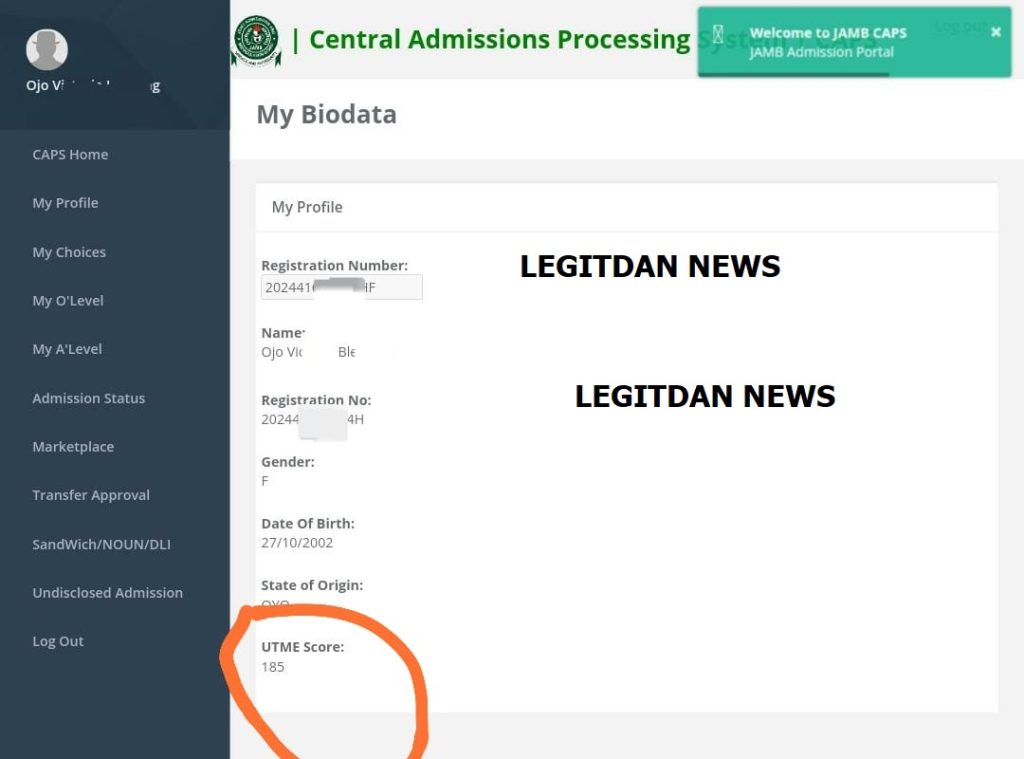
JAMB UPLOAD RESULT ON CAPS | How to Check JAMB Result On CAPS
To check your admission status you will need to have a JAMB account. If you don’t have an account yet you can follow our guide on how to create a JAMB account.
Step 1
Go to the JAMB eFacility portal and log in with your credentials (your registered email & password).
Step 2
In your Candidate’s Dashboard, locate and click on the Check Admission Status tab.
Step 3
Select your Exam year and enter your registration number in the required columns.
Finally click “Check Admission Status” to proceed.
With over 8 years of profound expertise in school news, I <strong>Kolade Daniel has been a guiding force for aspiring students. Having successfully aided thousands in navigating the complexities of the admission process, I have stands as a seasoned expert committed to empowering individuals on their academic journey. As the founder of LEGITDAN CONSULTS, I continues to provide timely and insightful updates on admissions, scholarships, and academic developments, leaving an enduring impact on the education landscape.